What's New in symbiont vs 2.0
A major update packed with new creative tools: Chain Play for live performance, Sample Slicer for breakbeat chopping, Audio Preview for instant sound, Dark Mode, and much more.
Chain Play
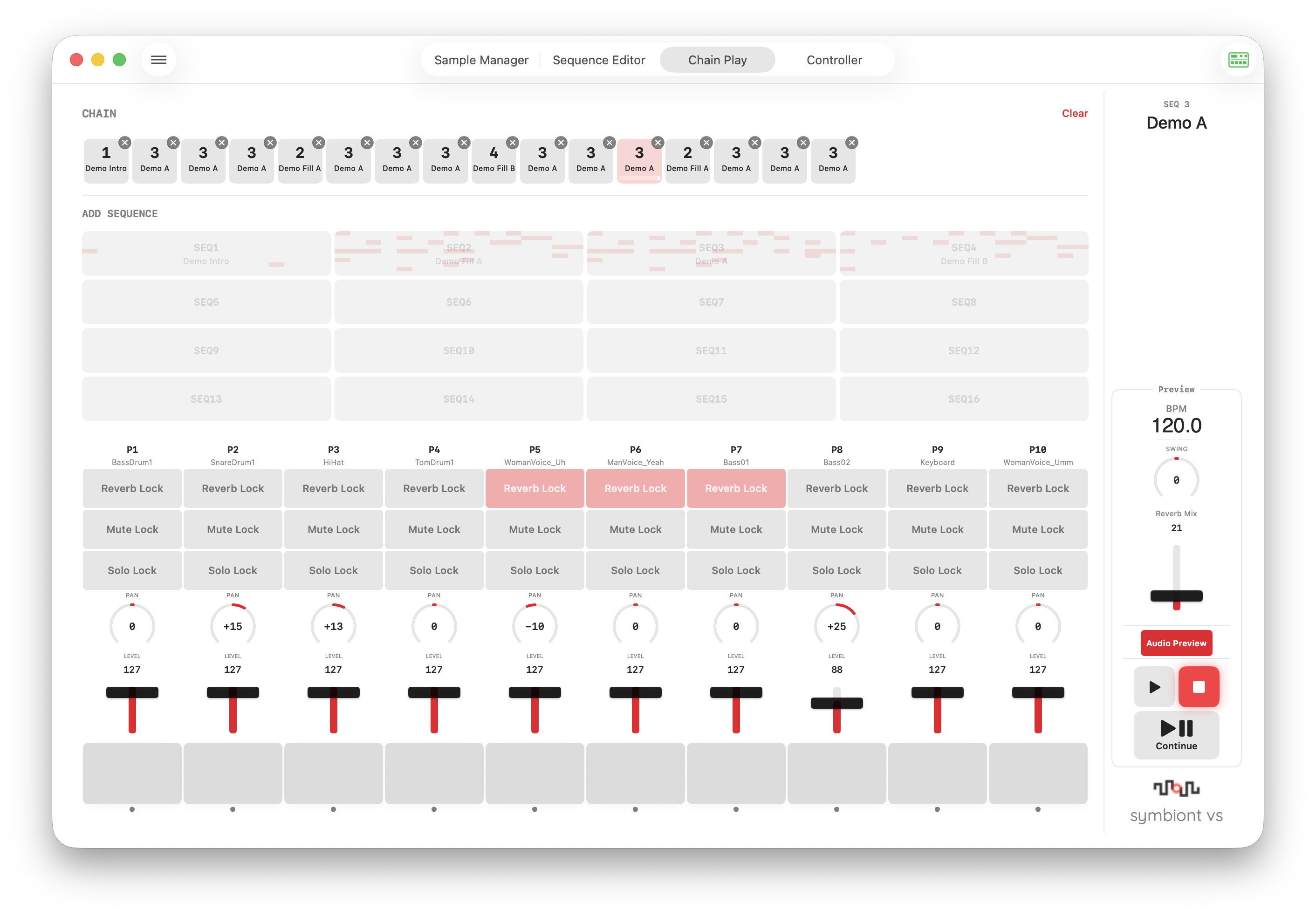
Build a chain of up to 16 sequence patterns and play them in order. A dedicated mixer strip gives you per-part control that persists across pattern transitions.
Pattern Chain Builder
Tap the 4×4 grid to add patterns. Drag and drop to reorder. Insert patterns at any position. Remove with the × badge.
Mixer Strip
10 parts with Reverb Lock, Mute Lock, Solo Lock, Pan, Level, and trigger pads. Locks persist across pattern transitions and play/stop.
Lock System
Three lock types (Solo, Reverb, Mute) that stay active regardless of sequence data. Three-level display: Locked, Sequence Active, or Off.
Non-Blocking Transitions
Zero-latency pattern switching using lock-based state management. No audio glitches between patterns.
Sample Slicer
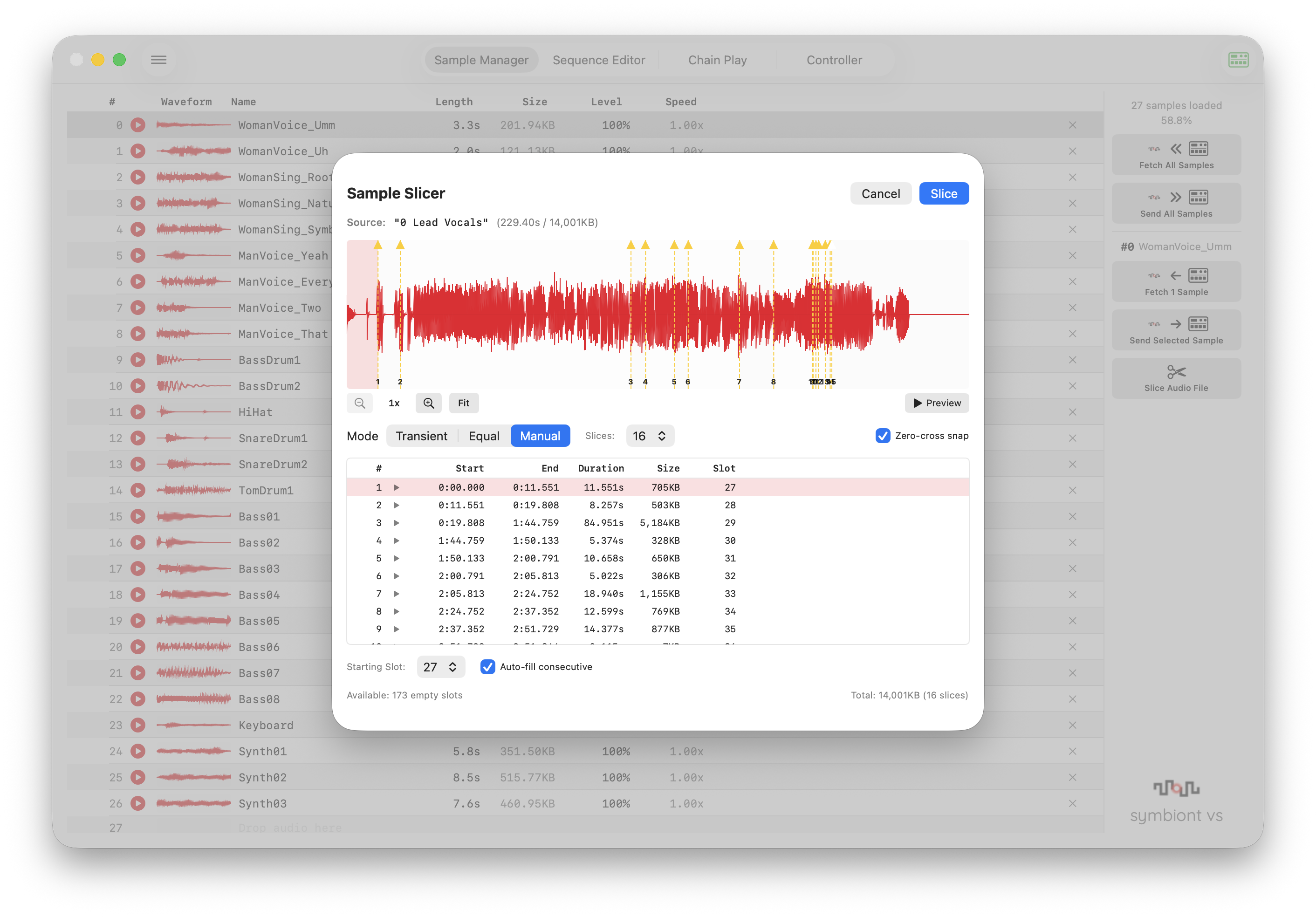
Import any audio file and slice it into individual samples. Three detection modes, draggable markers, waveform zoom, and instant preview.
Transient Detection
Energy-based onset detection with adjustable sensitivity. Automatically finds attack points in drum loops and phrases.
Three Modes
Transient (auto-detect), Equal (divide evenly), and Manual (double-click to place markers). Drag handles to fine-tune slice points.
Waveform Editor
Zoomable waveform (1x–32x) with drag-to-scroll. Playback position indicator. Zero-cross snap for click-free slicing.
Smart Slot Assignment
Automatically finds empty slots for your slices. Overwrite confirmation for occupied slots. Batch undo support.
Audio Preview
Hear your sequences directly from your Mac without sending to the device. Full parameter support including Speed, Pitch Envelope, Amp Envelope, Reverb, and Motion.
10-Voice Engine
AVAudioEngine-based with 10 dedicated voices. Supports all Volca Sample 2 parameters: Level, Pan, Speed, HiCut, AEG, PEG, Reverb, and more.
Speed Motion + PEG
Speed Motion and Pitch Envelope coexist correctly. Real-time rate updates during playback.
Free Trial
Free users get 10 minutes of Audio Preview per session. Pro users enjoy unlimited use.
Waveform Playback Indicator
See the playback position on the waveform display in real-time. Cyan line tracks the current sample position at 30fps.
Sequence Editor Improvements
More power, better workflow. New features make editing faster and more intuitive.
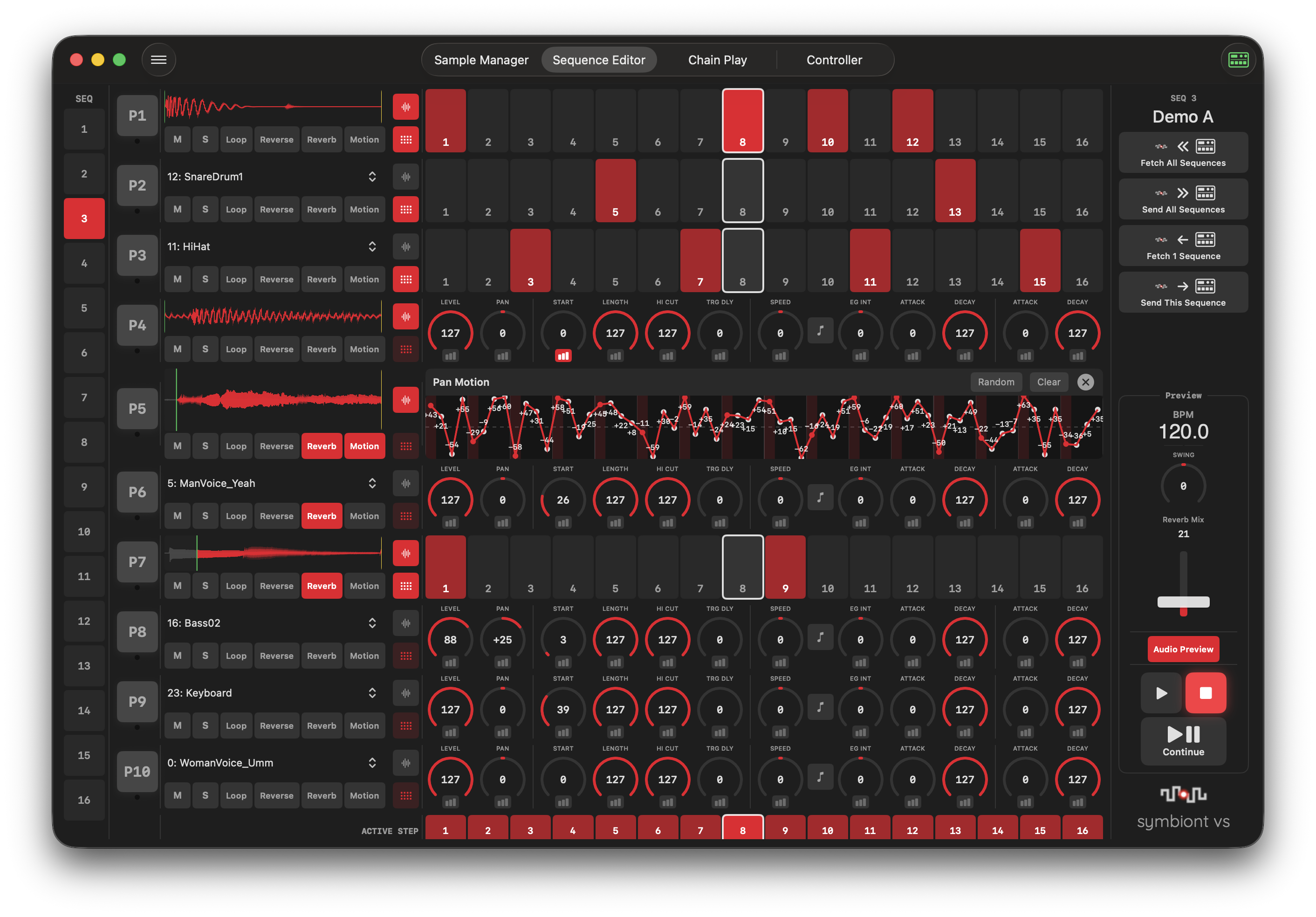
Waveform Display
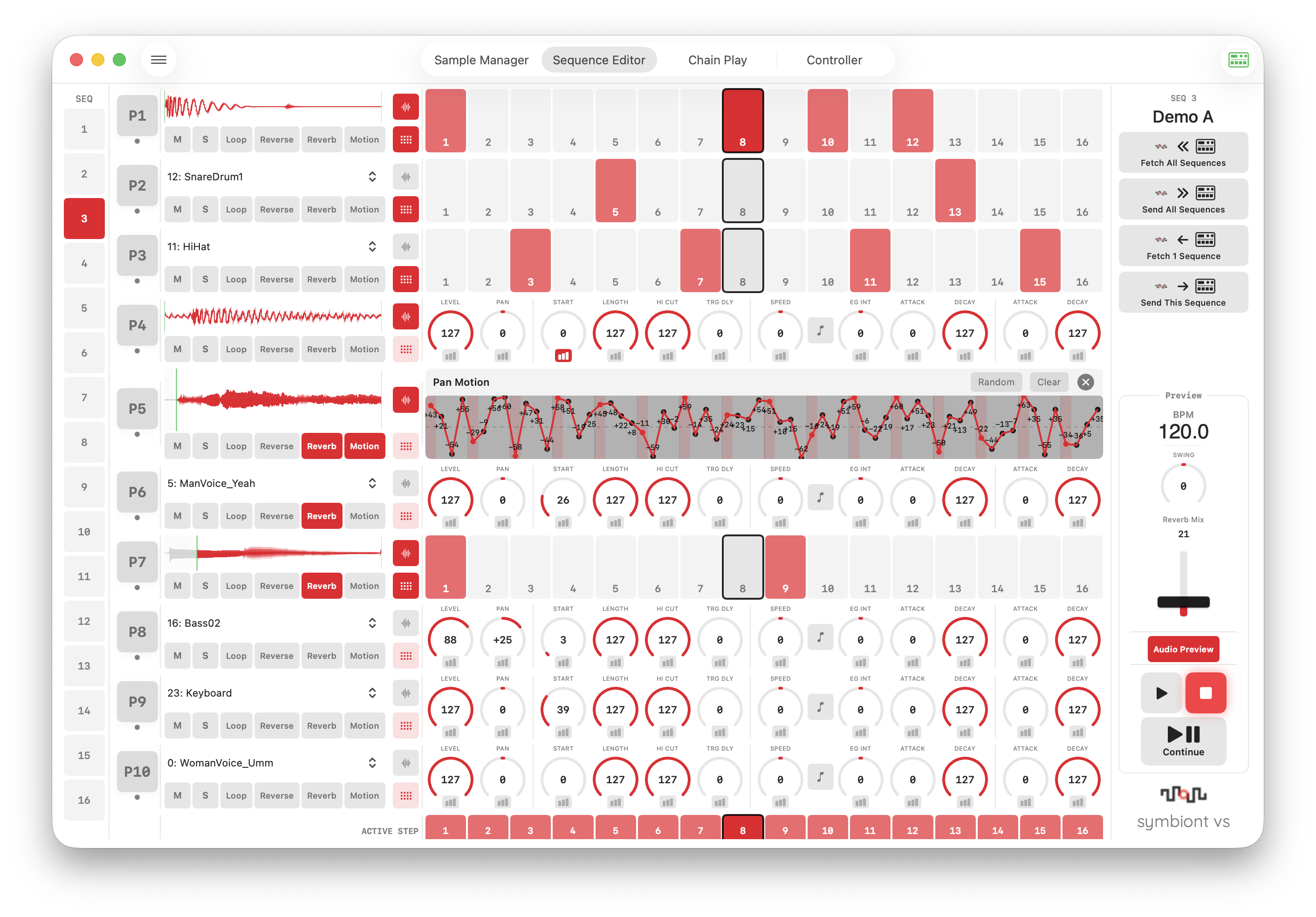
Toggle waveform view per part to see Start/Length range, Reverse state, and real-time playback position.
Solo Button
Quickly isolate parts during editing. Works during Audio Preview and MIDI preview playback.
Part Copy To
Right-click any pad to copy all parameters to another part. Undo supported.
Live Parameter Changes
Change samples, toggle Loop/Reverse/Reverb, and adjust parameters during playback — all reflected in real-time.
Dark Mode & Polished UI
Full Dark Mode support with macOS semantic colors. Refined controls and interactions throughout.
System / Light / Dark
Choose your preferred appearance in Settings. Follows system preference or set manually.
Knob Double-Click Reset
Double-click any knob or fader to reset to its default value. Standard DAW convention.
Hardware-Accurate Labels
All parameter labels match the Volca Sample 2 panel: LEVEL, PAN, START, LENGTH, HI CUT, EG INT, ATTACK, DECAY.
Hover Feedback
Faders, sequence buttons, pattern grid, and delete buttons all respond to hover with visual feedback.
Free vs Pro
More features available for free in version 2.0. Pro unlocks unlimited Audio Preview and file saving.
| Feature | Free | Pro |
|---|---|---|
| Fetch from Device | ✓ | ✓ |
| Preview via MIDI | ✓ | ✓ |
| Sequence Editing | ✓ | ✓ |
| Controller | ✓ | ✓ |
| Chain Play | ✓ | ✓ |
| Sample Slicer | ✓ | ✓ |
| Send to Device | ✓ | ✓ |
| Sample List Editing | ✓ | ✓ |
| File Open | ✓ | ✓ |
| MIDI Monitor | ✓ | ✓ |
| Audio Preview | 10 min / session | Unlimited |
| File Save / Save As | — | ✓ |
Requirements
System Requirements
- macOS 15.0 (Sequoia) or later
- KORG volca sample 2 connected via USB-MIDI